




We have crossed a digital threshold. AI-Enhanced Online Tools have shifted from being “cool novelties” to critical infrastructure for developers, creators, and digital marketers. These aren’t just calculators; they are intelligent agents that predict, optimize, and execute tasks with a precision that human fatigue often makes impossible.
Whether you are optimizing a high-traffic portal or debugging a complex script, the integration of AI into web-based utilities has democratized high-level computing power. This guide explores how these tools are reshaping workflows and why your toolkit needs an upgrade.

1. The Developer’s New Best Friend: Intelligent Code & Debugging
For software engineers and web developers, the “blank page” problem is obsolete. AI-enhanced utilities have transformed the development lifecycle from sheer creation to curation and optimization.
Smart Syntax Correction
Traditional validators check for syntax errors. AI-enhanced validators understand intent. They don’t just tell you a semicolon is missing; they analyze the logic flow and suggest optimizations for cleaner, faster execution.
- Contextual Awareness: AI tools can read the surrounding code block to offer variables and functions that actually exist in your project scope.
- Refactoring: Automated suggestions to reduce technical debt by converting legacy loops into modern, efficient functions.
Explore More: Looking to streamline your coding workflow? Check out the Developer Utilities section on Tools 804 for specialized converters and formatters designed for modern tech stacks.
2. SEO & Content: Beyond Basic Keywords
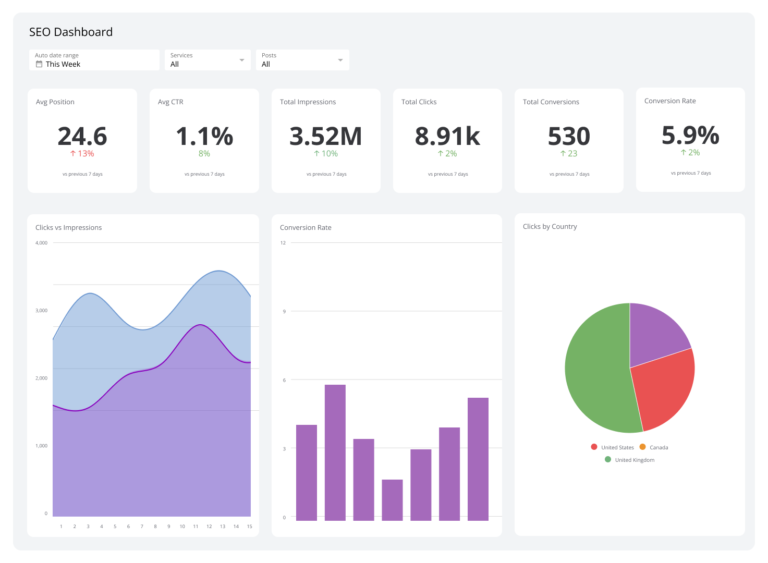
In the competitive landscape of search engine ranking, “guessing” is no longer a strategy. AI tools process vast datasets to uncover patterns that standard analytics miss.
Semantic Analysis and Intent
Old tools looked for keyword density. AI-Enhanced Online Tools analyze semantic relevance. They can determine if your content actually answers the intent behind a user’s search, not just if it matches the string of text.
- Predictive Trending: Identifying rising topics before they peak.
- SERP Simulation: AI can predict how your meta tags will perform against current competitors, allowing you to optimize click-through rates (CTR) before you even publish.
Optimization Hub: precise meta-tag generation and keyword planning are crucial. Visit the SEO Tools category on Tools 804 to access utilities that align your content with search engine algorithms.

3. Visuals & Design: The End of Pixel Peeping
Graphic design often involves repetitive, tedious tasks—background removal, upscaling, and compression. AI has automated the tedious, leaving the creative to the human.
Lossless Intelligence
Standard compression tools often degrade quality. AI-driven compression algorithms distinguish between essential detail and visual noise, allowing for drastic file size reductions without visible loss in quality—vital for maintaining fast Core Web Vitals scores.
- Smart Cropping: AI detects the focal point of an image (faces, products) and crops accordingly, ensuring your thumbnails always look professional.
- Generative Fill: Expanding image borders naturally to fit responsive website layouts.
Visual Suite: Ensure your site loads instantly without sacrificing aesthetic quality. The Image Tools section on Tools 804 offers advanced processing for web-ready visuals.
Chrome Pro Tip: The “Side Panel” Workflow
Stop switching tabs constantly. As a developer or power user, you can optimize your use of online AI tools by utilizing Google Chrome’s Side Panel.
- Pin Your Tools: Open your favorite AI tool from Tools 804.
- Add to Reading List (or Side Search): In newer Chrome builds, you can pin specific web apps to the Side Panel.
- Split-Screen Effect: This allows you to keep your main workspace (like your WordPress editor or VS Code Web) in the main window while having your AI tool accessible in the right-hand panel for quick reference, conversions, or text generation.
Conclusion
The digital workspace is evolving. Sticking to legacy methods isn’t just slower; it’s a competitive disadvantage. AI-Enhanced Online Tools offer the leverage you need to produce higher-quality work in a fraction of the time.
Whether you are refining code, polishing an article, or optimizing a landing page, the right tool makes the difference.
Ready to upgrade your workflow?
Stop working harder and start working smarter. Visit Tools 804 today to access a curated suite of AI-enhanced utilities designed for the modern web professional.
Frequently Asked Questions (FAQ)
Most reputable online tools process data transiently (in the browser) or via secure, encrypted API calls without storing your raw inputs. Always check the privacy policy, but modern standards (like GDPR compliance) are increasingly common in AI utilities.
No. They replace the drudgery. An AI tool can generate code or suggest keywords, but it lacks the strategic context, creativity, and business logic that a human expert provides. Think of them as power-steering for your workflow.
Conversely, they are often more efficient. While the backend processing is complex, the output is usually "right the first time," saving the user from the trial-and-error loops common with older, static tools.
Generally, no. The heavy lifting is done on the server side (cloud computing). A standard laptop with a stable internet connection is sufficient to access enterprise-grade AI processing power.
Currently, text analysis (SEO/Writing) and image processing see the most dramatic gains. The ability of AI to "understand" context and visual data far surpasses the capabilities of traditional algorithm-based tools.